Update Bank Details SASSA For SRD R370 | Full Guide
Applicants should update their Bank Details to receive the SRD R370 grants promptly, but this process may be daunting for new SASSA applicants. Hence, this article will share an official guide on “How to Update Bank Details in SASSA For SRD R370?”
In practice, the official SASSA Portal features a dedicated section for updating Bank Details for the SRD R370 grant. Even after successfully updating the details, the authorities may take 10 to 15 business days to link your new Bank Account with the SRD R370 grant profile.
At the same time, applicants should register the new Bank Account in their names to avoid information conflicts in the SASSA Verification System. Lastly, they can contact the SASSA Support in case of failure to update the SRD R370 Bank Details.
Update Bank Details for SRD R370 Grant
To ensure payments are made to the correct account and received in good time, you need to update your bank details for the SRD R370 grant. The following section describes the process of updating in a simplified manner to enable prompt, proper updates.
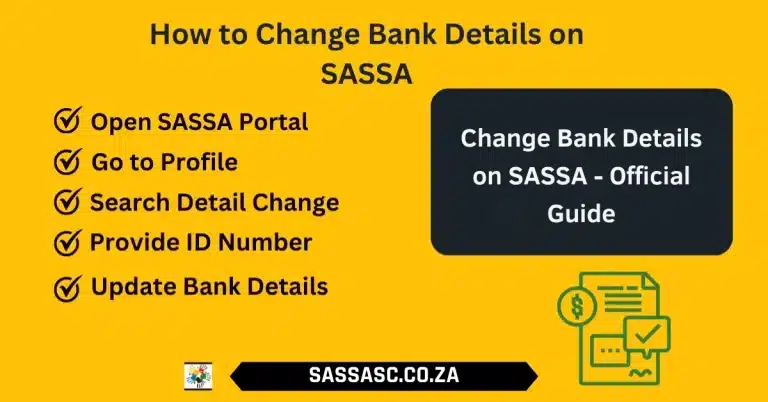
- Visit the South African ID Holders, Asylum seekers, or Special permit holders page at srd.sassa.gov.za and choose the right option.
- Different ID holders in South Africa are required to write their ID Numbers, but Asylum Seekers need to write their file numbers, passport numbers, and phone numbers.
- SASSA would send a special, secure link to the application’s phone number.
- Check the link and enter your new account number, the account holder’s name, and the branch code at your bank.
- SASSA will check your new information against your bank. Be patient with this process.
- After verification, an SMS will be sent to confirm the SASSA, and the next SRD R370 payment will be credited to the new bank account.
Method To Update SRD R370 Bank Details
When you follow the proper guidelines, updating your SRD R370 grant details is easy. Numerous applicants have to endure procrastination because they miss minor yet significant points. These tips can help ensure your banking details update goes smoothly.
Submit Accurate Information
Do not forget to check your ID number and bank account before typing in the details, and use the branch code. Wrong information is the leading cause of failed updates.Accuracy can help SASSA check your information more quickly.
Use a Stable Internet Connection
An internet connection is also fine; hence, the form will not crash/shut down as one submits it. The internet could be slow or malfunction, leading to errors and requiring the process to be repeated. The update is made smooth with an active device and a connection.
Avoid Multiple Submissions
Do not make multiple update requests within 24 hrs, as this may confuse the system. SASSA handles every request in sequence, and duplicates may slow up verification. Submit One and wait until you are confirmed.
Use Your Own Bank Account
SASSA will never make any payments to any other account that is not in your own name. An account belonging to another person may be rejected or take longer to be paid. Before updating, ensure the bank account is yours.
Provide Your Registered Phone Number
Use the mobile number that you applied to receive the first grant. SASSA sends only secure update links and notification messages to this number. You will not receive the necessary SMS if you use a different number.
Ensure Data & Device Security
Enter your personal data on a secure device and avoid using open Wi-Fi. This helps to keep your sensitive information undisclosed. Your information is also protected by a secure connection during the update process.
Contact SASSA Helpline When Needed
In case of difficulties when updating, dial SASSA at 0800 601 011 for official assistance. Their customer care team can assist and ensure your request is addressed appropriately. Early contact avoids wastage of time.
Conclusion
In short, it is advisable to update your bank account details to avoid the SRD R370 grant being deposited in the wrong account. Meanwhile, it is not hard to update your SRD R370 grant banking details by following the proper steps and providing the required information.
It is best to wait and ensure your payment is processed into your new bank account without issue by simply following SASSA’s instructions. On the sidelines, bookmark our website and push the notification icon to receive an alert whenever we publish a new article or blog related to the SASSA SRD 370.
FAQs
How long does SASSA take to verify my updated bank details?
SASSA takes 5-7 working days to authenticate your new banking details with the bank. In some cases, the time may extend due to additional verifications.
Can I use someone else’s bank account for my SRD R370 grant?
No, SASSA will only pay it into a bank account registered in your name. Using Bank Accounts registered in another’s name may result in suspension of payment.
What if I don’t receive the SMS link to update my banking details?
Ensure that you are using the phone number registered for your grant, then retry or call SASSA at 0800 601 011.